Showing posts with label star trails. Show all posts

Saturday, October 21, 2017

Remove Airplanes and Clean Up Star Trail Photos

I tried to catch the Orionid Meteor Shower last night, and while I saw about 3-4 with my own eyes, I didn't catch any in the camera. That's okay though! Because one of the best consolation prizes from a meteor hunt is the star trail photos you can make from stacking all your pics together. I took 400 individual photos, each 15 seconds long, between 9:45pm and 11:35pm last night. If you live in the Midwest like me, or anywhere near civilization really, you're bound to have an airplane muck up your star trails. While this isn't necessarily bad, sometimes it's interesting to see just how busy the sky is at night, it can distract from the beautiful swirl of the stars as the Earth turns.

before and after photoshop star trails
Star trails before and after with some easy touch-ups
If you don't already know how to do star trails, check out the free software called StarStaX. In short, you can stack of bunch of individual photos to create star trails without doing one big long exposure, which is the traditional route. If you're a star trail purist, your 2 hour long exposure could be ruined by someone bumping the tripod or a car passing by with bright headlights. With star trail stacking, you can throw out or edit a frame here and there and it doesn't ruin the entire batch.

The way stacking works is the software keeps the brightest pixel from each image. It's the same as the Lighten blend option in Photoshop. So anything dark will be replaced with something lighter, and things that are bright stick around. If the stars are the brightest pixels in their pathway, their light is kept. If something is brighter like a plane or clouds, those pixels are kept instead.

We can take advantage of this to edit out the planes and other junk in the photos because making things dark is the same as erasing them, and we don't have to worry about filling the empty space because there are plenty of brighter pixels in the other photos that will take its place.
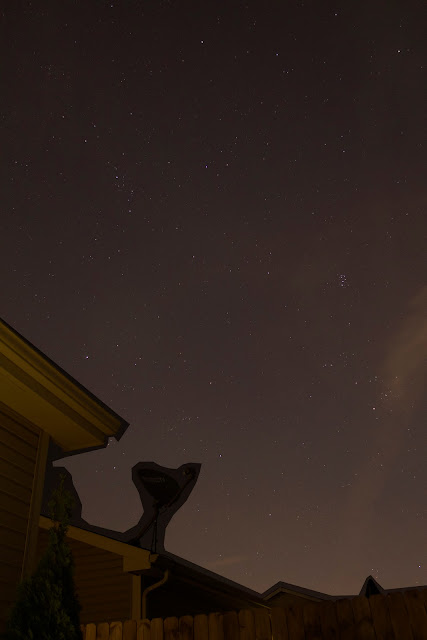
remove bright area from star trails
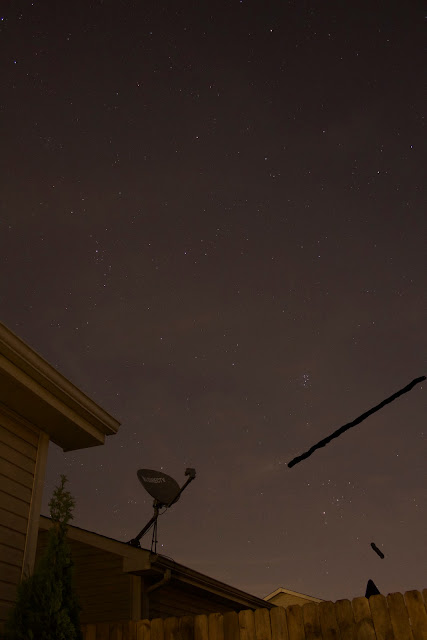
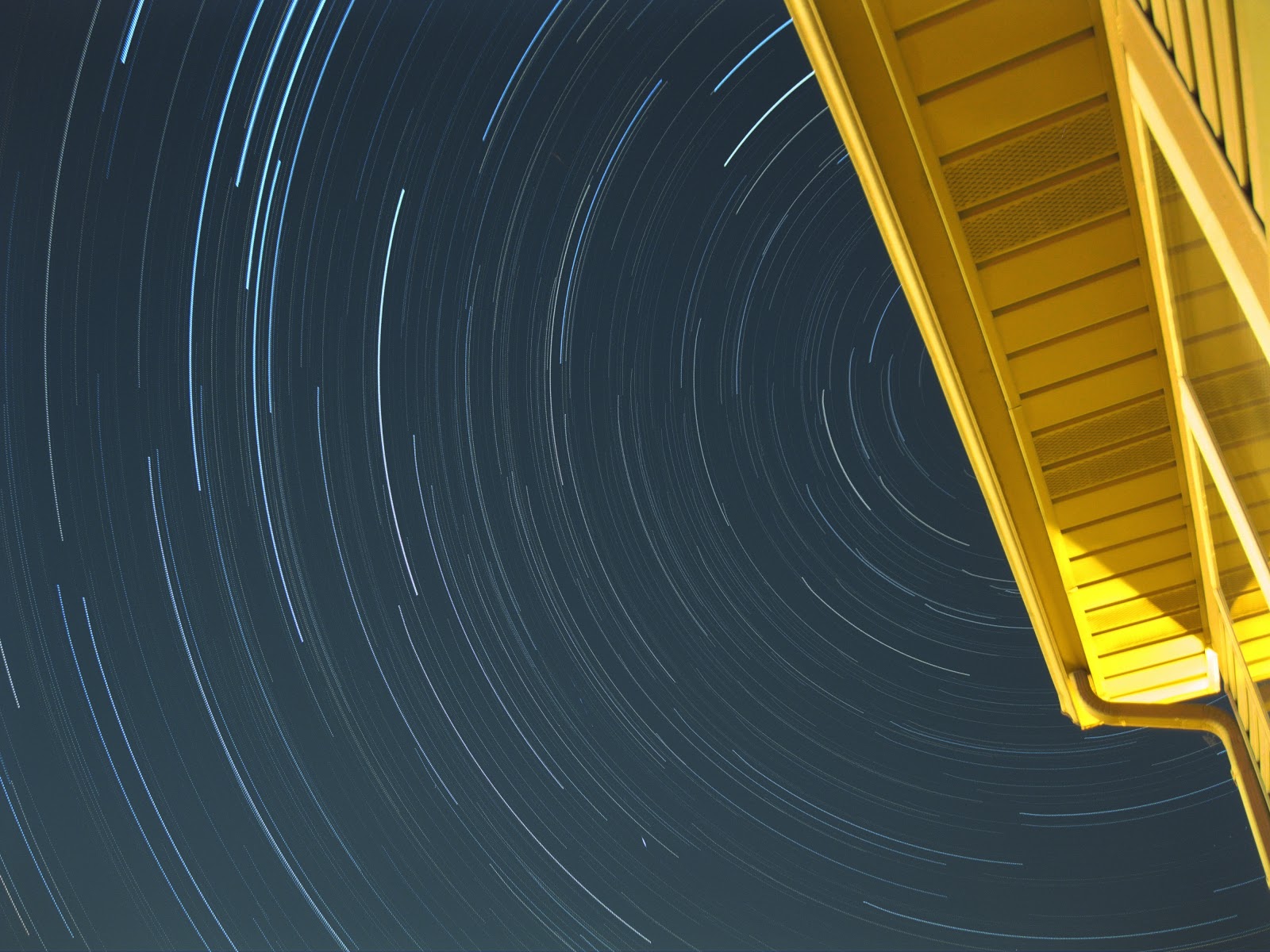
Here's an example of a frame I edited. I want to keep the stars, but someone turned on the porch light which made the side of the house bright yellow. I did a very rough selection in Photoshop and made this area darker, knowing it would be replaced by the lighter section of the house in the other images. 
remove airplane from star trails
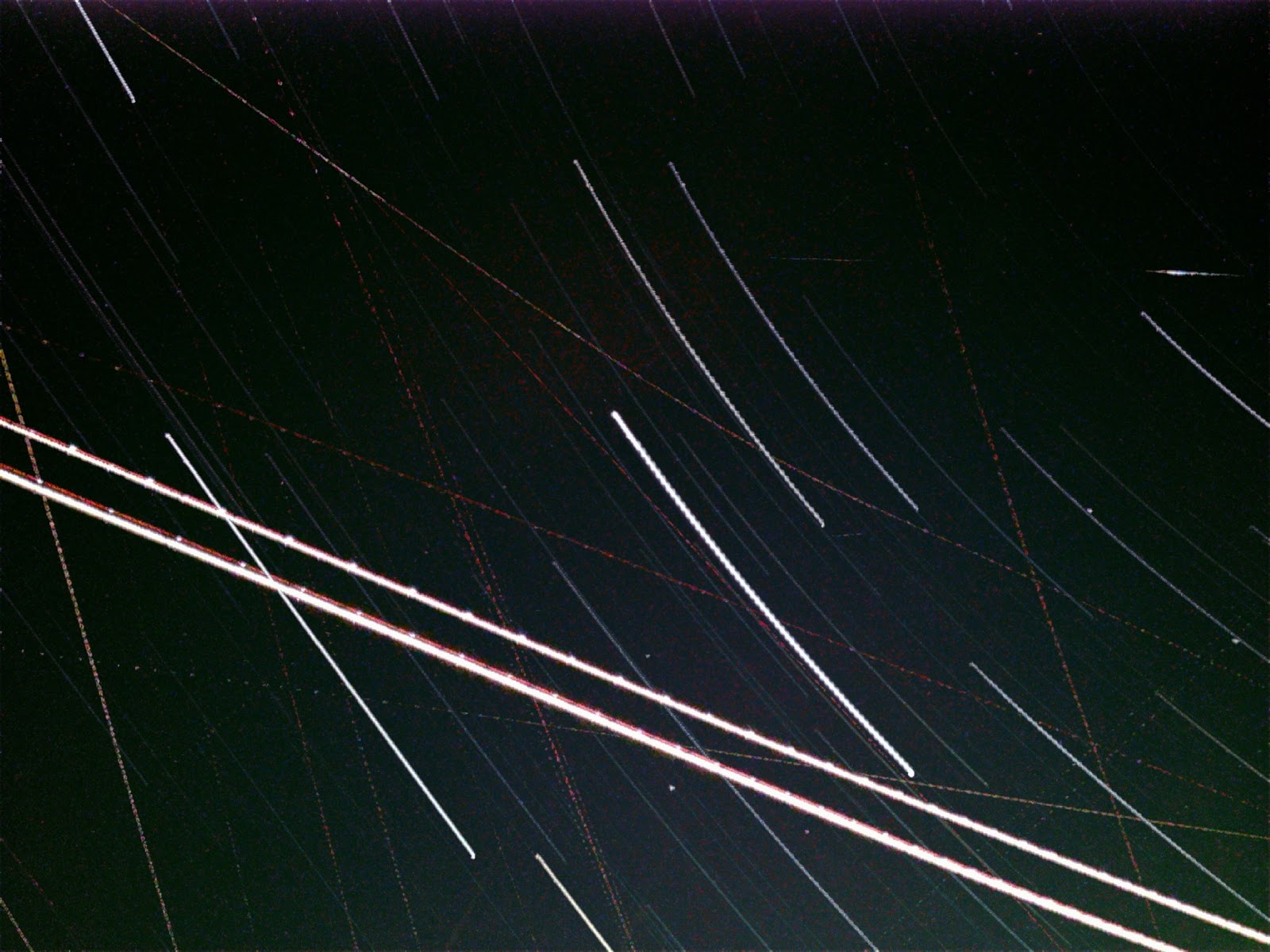
Here's another individual image. I remove 2 light trails from planes in this image by just coloring black over them. Since the ambient sky background in other images is lighter than the black, I know that the lighter pixels will be kept and these black pixels will be thrown out anyway - so it's the same as erasing them. I don't even have to have sharp edges or straight lines, the stacking averages out everything around it and you won't see the erase marks at all. 
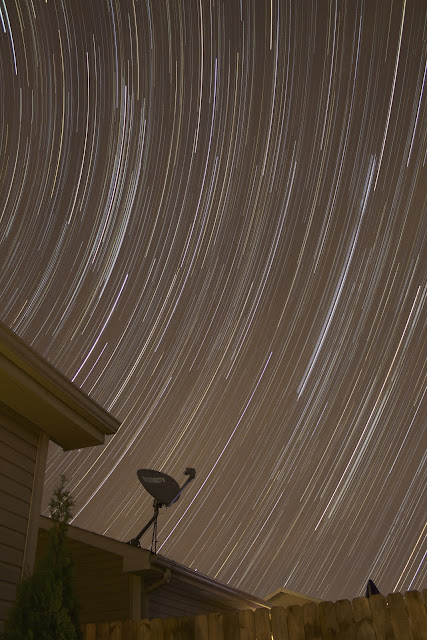
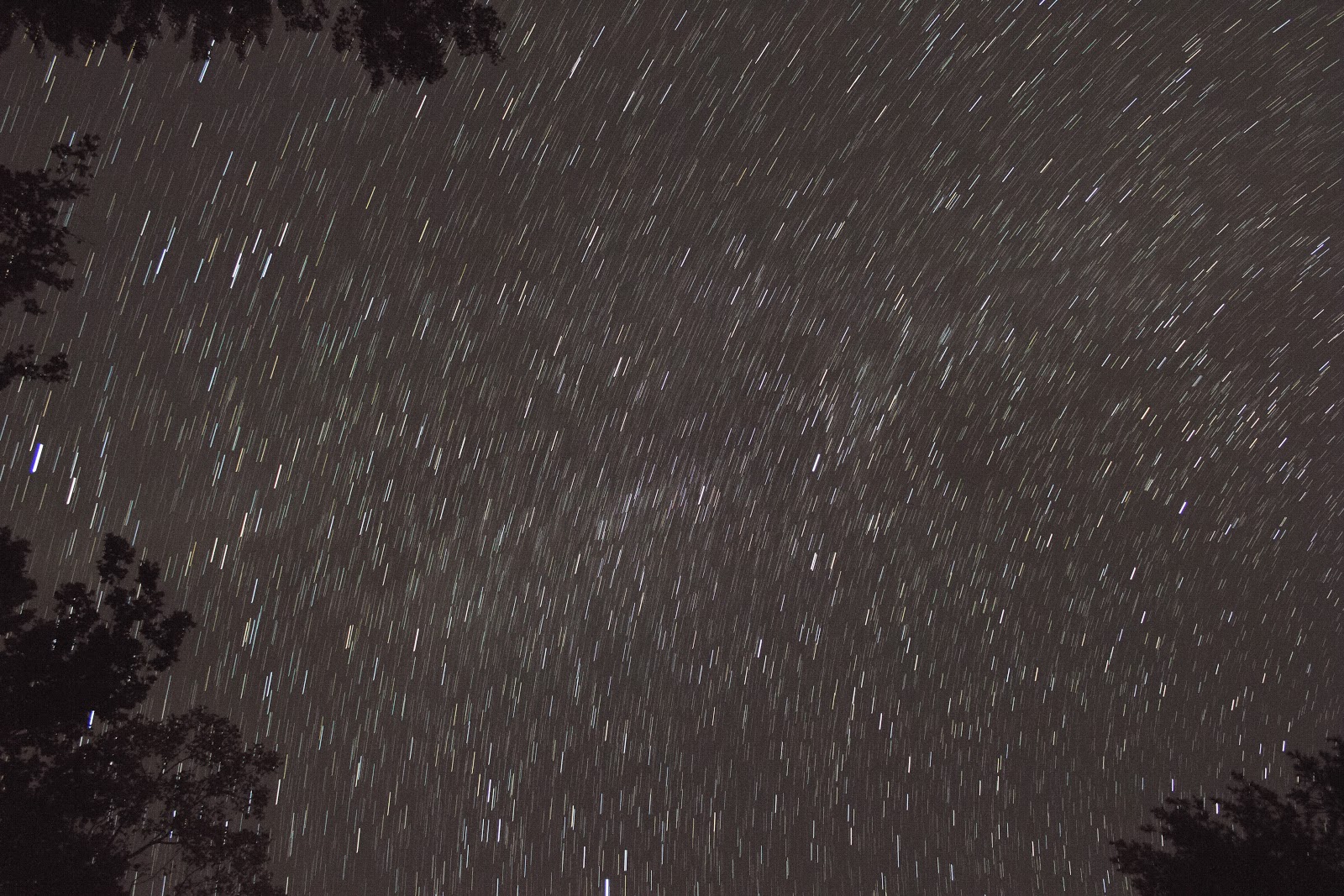
star trails natural light
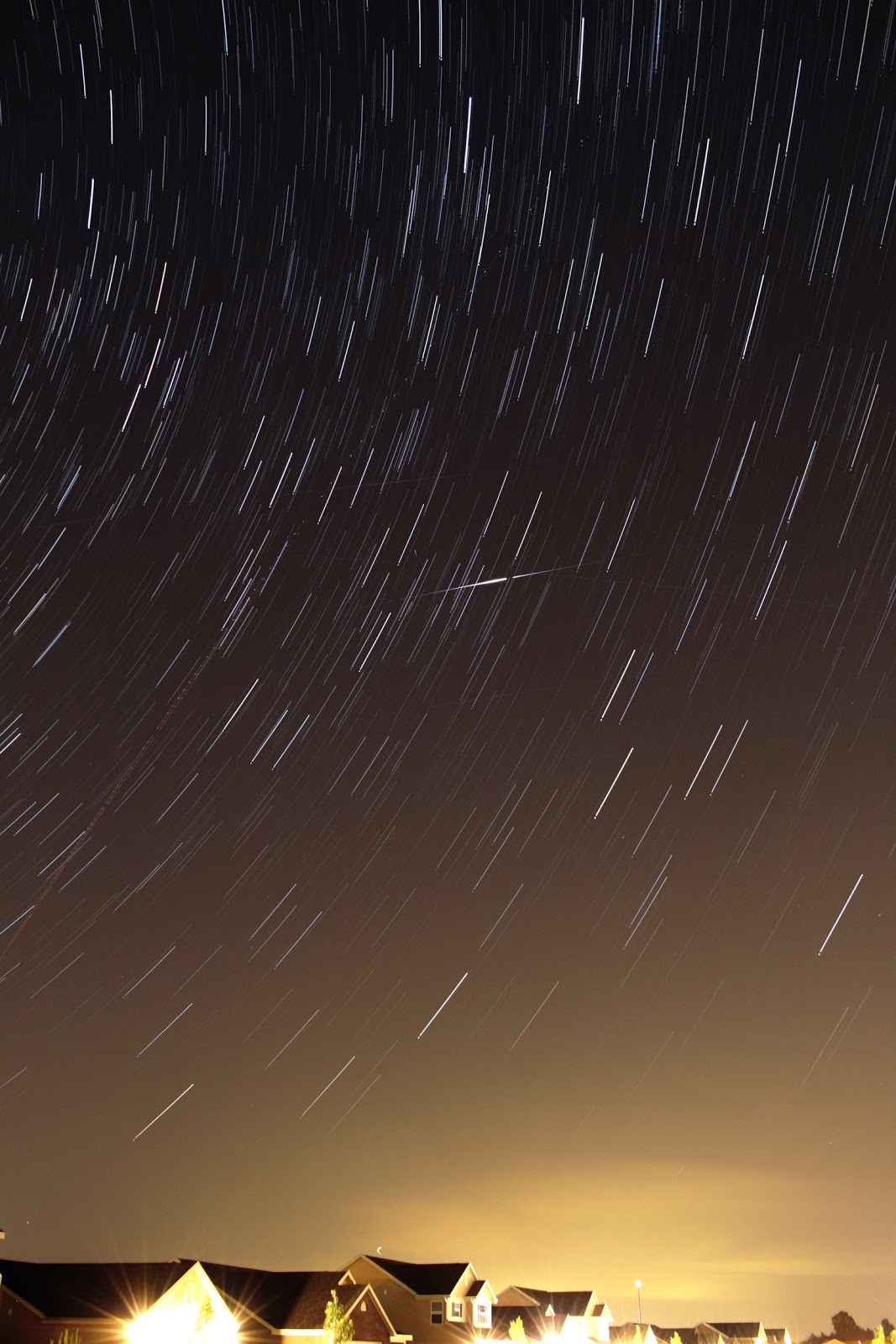
Here is the final image without planes. 400 images stacked, each 15 sec, ISO 800, f/4.0, 18mm. The image looks too yellow because of the light pollution in the area and in the neighborhood, so there's just a couple tweaks left to make in Photoshop. 
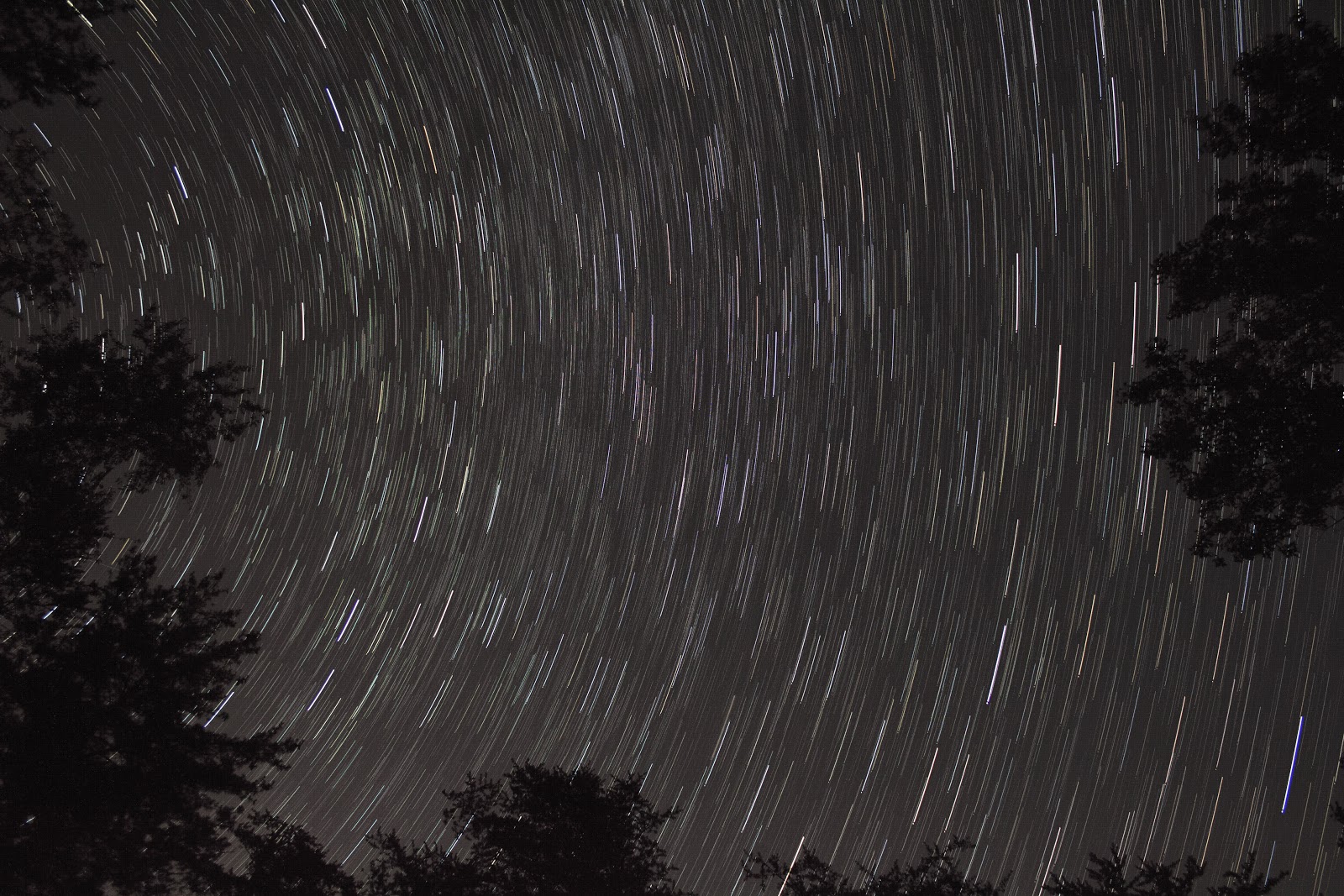
purple star trails in backyard
Here's my final product. Color balance and contrast is like cooking with spices, everyone will have their own taste. I like to go a little blue/purple to get rid of the gross yellow light - but not so purple that it looks like a disco blacklight party. I turned up the contrast a little bit to hide the yellow clouds that kinda smeared across the image, but again not too much because I don't want it to look completely fake. These 2 hour star trails are nice and long, and without the distracting planes, it looks much more peaceful. 

Well this really wasn't meant to be a tutorial, but I just wanted to document my process a little. Another star trail consolation prize to add to my collection, and a little bit of post processing work took it from neat to pretty cool.

Friday, January 8, 2016

Backyard Star Trails and Comet Trail Vertical Video

It's always fun to take a stack of photos for star trails, and with comet mode in StarStaX there are a lot more things you can do with these files than simply make a stack. I might even go back and use some stacks I took before to turn them into comet trail animation videos like the one below. It's very easy, you just click a box to save each iteration of the process and then dump those files into video software to use them as movie frames.

Here are the results of 243 individual frames in the backyard.

turn star trails into video
Stack of 243 individual frames taken with Canon T5i, each at ISO 800, 18mm, f/4, 15 sec
I didn't bother removing any of the airplanes or satellites, and didn't do any color correction. Usually it's nice to tint it a little toward the blue side, increase contrast a bit, and remove all of the airplane light trails before stacking. But I'm not going to get a print of this so it's fine for now.

What I really wanted to show you was the resulting video using comet trails in StarStaX. It slowly fades out the frames after they appear, meaning the airplane trails don't stick around as long. Also the light pollution from the houses go off like flashes instead of sticking around.

On a side note, there aren't a lot of good ways to show vertical videos online. Definitely not on YouTube, so I am trying to embed this Instagram file. It's lower resolution, but it's preferable to having two huge black bars on the side of the video. Not a bad solution for a quick post!

A video posted by Eric Teske (@ericteske) on


Say! That turned out better than I thought! I think Instagram makes a great go-to solution for posting vertical videos on webpages!

Sunday, January 3, 2016

Super Easy Star Trail Photos with iPhone

Making star trail photos with an iPhone used to be an ordeal, but now you can do it all from a single app. I use Night Cap Pro for my high ISO long exposure iPhone photos, it's specifically designed with night sky photos in mind. Another thing that really helps is a tripod adapter for your iPhone to keep everything stable and secure while letting you aim it just how you like. You don't NEED one, you can prop your phone up against something, but it makes everything easier. For an iPhone tripod adapter you can go super cheap with a home made one or just buy the perfect one on Amazon.

universal smartphone tripod adapter
Vastar universal smartphone tripod adapter and a long iPhone power cord to keep things going in the cold. This is an iPhone 6 and I even left the case on, and the adapter still works with it.


long exposure stars iphonestar streak trail photos

Above photos are star trails taken with the iPhone on a tripod mount, completely in-app using Night Cap Pro, no additional stacking or exporting the photos. It's a single long exposure using the light trail mode in the app. I tweaked the photo on the left a little bit, and the one on the right is exactly as it came out un-edited.

iphone tripod connector
The battery drains fast if it's cold out, so the power cord is helpful if you are near an outlet

Tuesday, September 15, 2015

Night Sky iPhone Photos with In-App Star Trails

I woke up last night to let the dog out and got distracted by the rising Winter Hexagon of stars. I can't wait to see this part of the sky on the regular later this winter. It's a particularly good target for iPhone night sky photos because the bright stars show up well even on the tiny iPhone camera.

I propped the iPhone up on a small stand (the same one I used here). The app I used is called Night Cap Pro and it does a great job!

iphone star trails
Same photo as below, but I turned the brightness down a little bit to make the sky less pale gray and make the stars pop.
iphone star trails
Same photo as above straight out of the iPhone, all star trails are done in-app with long exposure. This was about 10 minutes. That bright blob to the bottom left just coming over the roof is Venus, the rest is Orion, Gemini, and some planes.
orion and gemini with iphone
I also used the star trail mode to make this image. The star trail mode actually does a better job than the noise reduction mode at cleaning up the sky for a nice regular star photo. This was about 20 seconds and you can just barely see trails.
pleiades and perseus with iphone
I put the phone off the side of the table and pointed it straight up to see how it would do without light pollution on the horizon. I was so happy to see my favorite constellation Perseus and the instantly recognizable Pleiades cluster. So cool even on an iPhone photo! This one is also straight out of the camera.

Sunday, August 16, 2015

Back in Action with 8 Perseids Caught on Camera

My star gazing sabbatical is over, and I'm once again borrowing my mother-in-law's DSLR lenses. I actually had a co-worker ask me the other day why I stopped posting night sky photos! Chris' brother dropped the lenses off last week, just in time for the tail end of the Perseid meteor shower. I put my camera out in my (now fenced-in) back yard with a shutter lock taking 15 sec exposures until the battery died.

I got 550 shots and started sifting through them on Friday morning before work. I found a total of 8 confirmed Perseid meteors originating from the radiant, all with javelin shape, and no light trails in the frames before or after (eliminating other satellites and planes). I also saw 2 other anomalies that are either non-Perseid meteors, or some other kind of flare.

2015 perseid meteors
Canon T5i, Composite, 8 Perseid meteors and 2 others, 15 sec, ISO 800, f/4.0, 18mm


I made a rushed composite before work, planning to come home and fix it later. When I tried, I ran into a lot of problems. The light changed over the course of the night with a very thin haze, so layering the brightest pixels from my other images into one composite wasn't very straight forward. Trying to match the background color led to some very faint fuzzy halos around the meteor streaks where you can tell I cut them out. I'm not sure how to get rid of them without dimming the already faint meteors.

perseid meteors


At least I got one meteor that stands on its own, this bright one that starts out greenish. A nice catch!

2015 perseid meteor

2015 perseid meteor


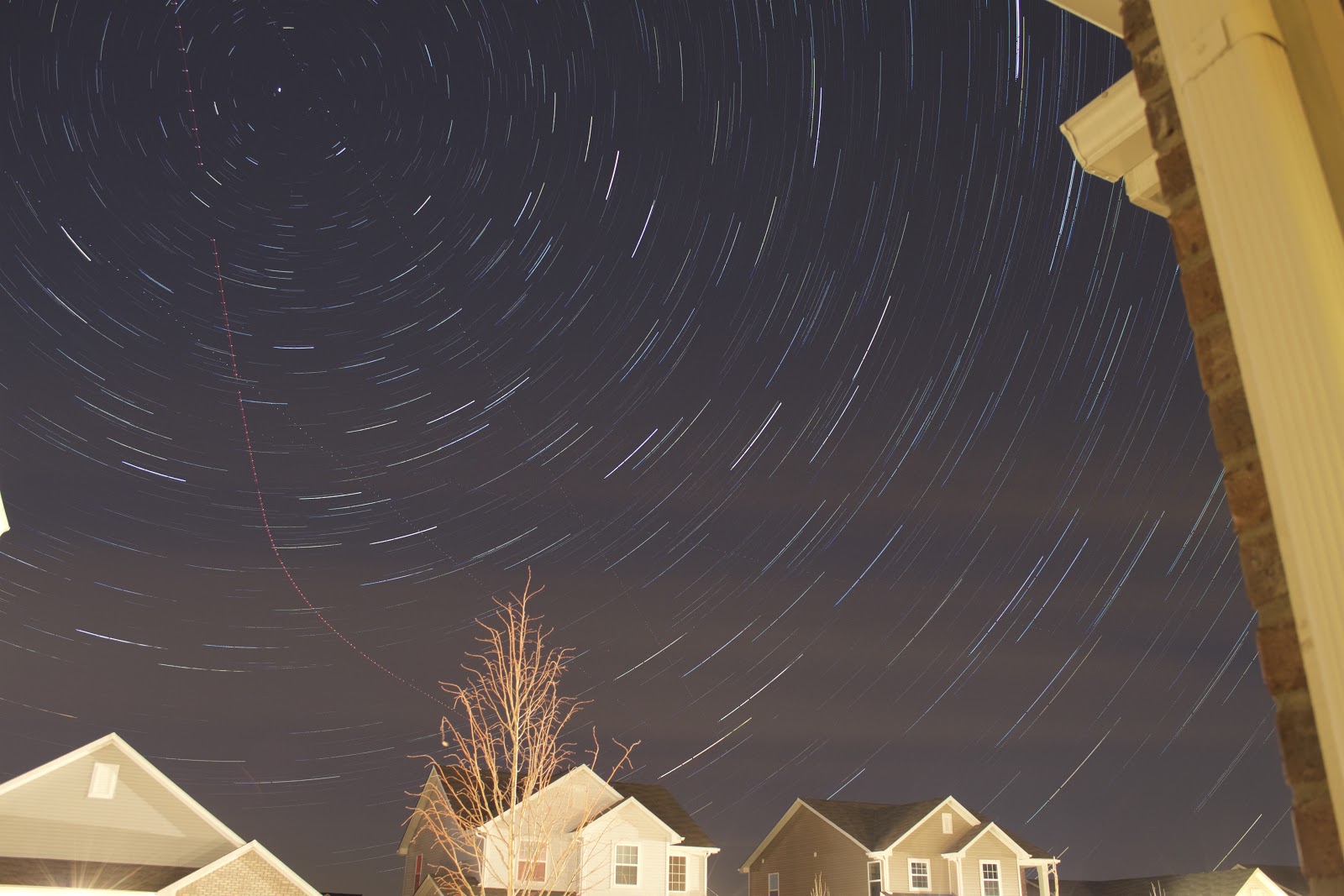
As always, the bonus prize after a night of meteor watching is a nice batch for star trails (in addition to 5 bug bites). I took the time to remove airplanes in this one by simply painting over them with black. Since the black isn't counted when each light pixel is added, it doesn't need to be blended or clean at all. Removing the planes really turned this decent star trail into probably my best, longest north-facing trails. It makes me think of a time warp! I still need to add more foreground objects to compose my photos better, but it's good to be back!

star trails with perseid meteor
Canon T5i, 522 images stacked in StarStaX, planes removed in Photoshop before stacking with brush tool, each at ISO 800, f/4.0, 18mm, 15 sec, do dark frames, bright Perseid visible in bottom right

Friday, March 20, 2015

No Northern Lights, But Free Star Trails

On Tuesday, my friend Ryan texted me and asked if I was going to go out and look for the aurora to the north. It was all over the news, and I think one commenter said we might get northern lights visible as far south as Tennessee. Keyword 'might'. I went out to check, and enjoyed some nice clear skies, but didn't see any lights.

I set up my camera to take some longer exposure shots to see if I got anything. I saw some bands of clouds. I've never seen the northern lights before, so I don't even know what to look for exactly (except what I've seen in other photos). I put them on my computer, and when I scroll through them quickly it makes a sort of timelapse video of the clouds, and I noticed they were definitely blowing away in the wind rather than hovering and dancing in one spot like the aurora lights do.

wispy clouds at night
Single frame, Canon T5i, f/5.6, 15 sec, ISO 1600, 18mm
As always, the consolation prize (or constellation prize) is a stack of star trails. Here is the resulting 155 image stack using StarStaX.

star trails canon t5i

And then here is the same photo with some HDR and contrast using the Snapseed app for iPhone.

star trails with snapseed iphone app

Sunday, December 14, 2014

Clouded Out for Geminids 2014, Some Consolation Prizes

After two successful Geminid captures (particularly last year) I guess the weather wasn't in my favor this year. I made an attempt at photographing the Geminids meteor shower on December 11, 2014 at 9:11pm. It was a completely clear evening and sunset, and started with a clear sky - but I think the warm air during the day led to a blanket of clouds after sunset even though the forecast actually looked very promising!

As with any failed meteor attempt, you always walk away with some consolation prizes in the form of star trails or even a couple neat sky pics. Here's what I managed - no meteors but a nice view of my favorite constellation Perseus over my neighbor's unfinished house:

perseus constellation over house
Canon T5i single frame f/4, 18mm, 15 sec, ISO 800

perseus constellation over house with clouds
Canon T5i single frame f/4, 18mm, 15 sec, ISO 800 about 20 minutes later...

cloudy star trails over house
92 images stacked in StarStaX

night sky photo edited snapseed
Photos above adjusted in the app Snapseed using the 'Automatic' filter, it does some quick work!

I made the images into a timelapse video: 152 individual frames taken with Canon T5i, each at f/4, 18mm, ISO 800, 15 sec; Timelapse in Sony Vegas with 0.07s still image duration each.

Friday, October 31, 2014

Point and Shoot Star Trails Edited in Snapseed

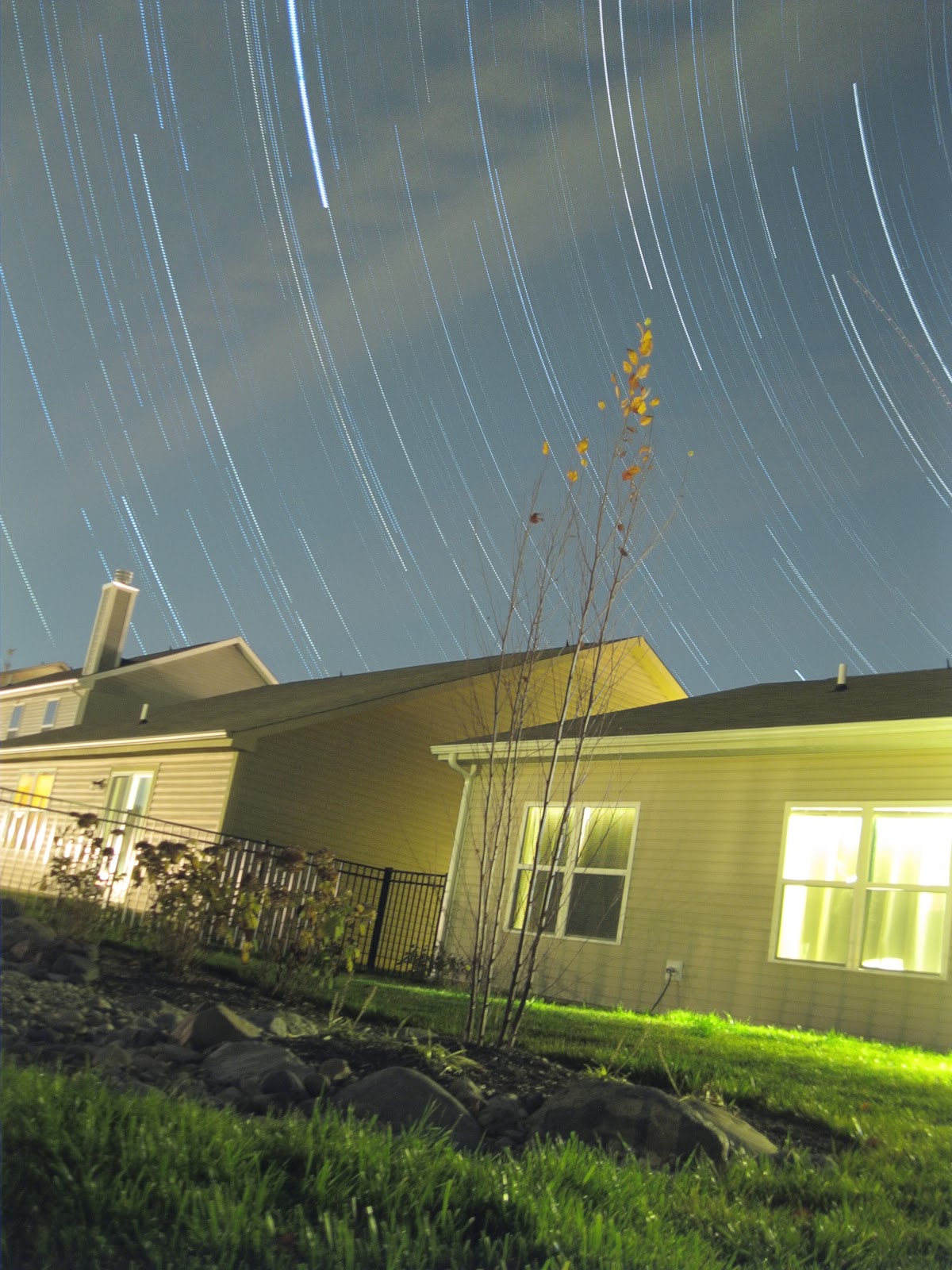
It's been a while since I did star trails using my point and shoot camera. Here is a stack of 234 frames the other night. I put my camera down on a rock in the corner of my backyard looking back at the house. I straightened the photo and edited it in Snapseed to give it a dramatic HDR effect which helps to remove some of the 'glow' from the house and bring your attention to the sky.

star trails with hdr effect
234 frames with Canon Powershot A3100IS, each at ISO 800, 6.2mm, f/2.7, 15 sec, stacked in StarStaX, edited in Snapseed
canon powershot star trails
Same photo as above, stacked in StarStaX but not yet edited

Tuesday, September 16, 2014

Bradford Woods Star Trails

bradford woods star trails
29 images stacked in StarStaX
Summer Triangle

bradford woods star trails
96 images stacked in StarStaX
Cassiopeia and Andromeda

Saturday, August 2, 2014

Iridium 39 Over Indiana, Snapseed Quick Edits and Star Trails

I used Heavens Above to predict a -7.6 iridium flare about 3 days in advance. The flare was set for 11:05pm to the NE at 37° above the horizon. The NE is my darkest sky because Indianapolis lies to the SW of my location.

I saw several satellites in the sky before the flare, and a few planes but not enough to ruin my shot. I started my camera on back to back shots at f/5.6, 18mm, 15 sec, 1600 ISO. I ended up with the typical yellow light dome over the horizon, but when I ran the photos through Snapseed on my phone, the "automatic" filter did a super quick and actually very decent job highlighting the stars against a natural looking sky. I guess that's why they call it SNAPseed, it's a snap!

It blows my mind that it's possible to calculate that the right antenna of a satellite 1192 km away will catch the sun just right to shine a beam of light onto Noblesville, and to predict it to the exact second. 

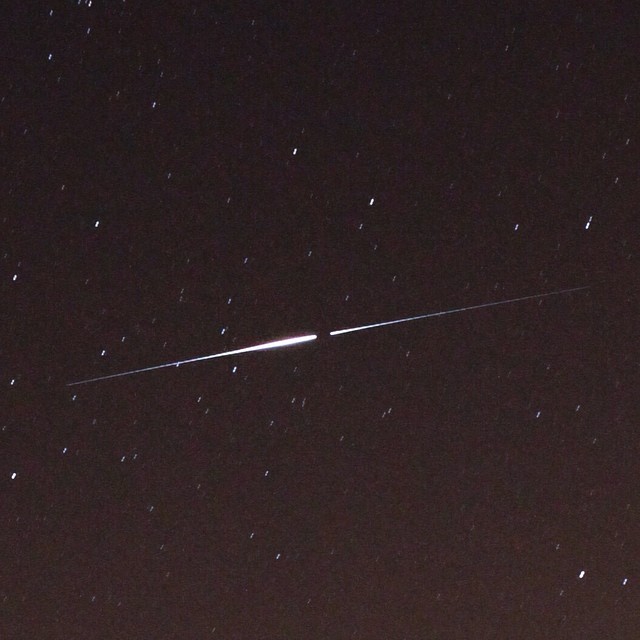
iridium flare 39
2 frames stacked to show full duration of the flare, close crop

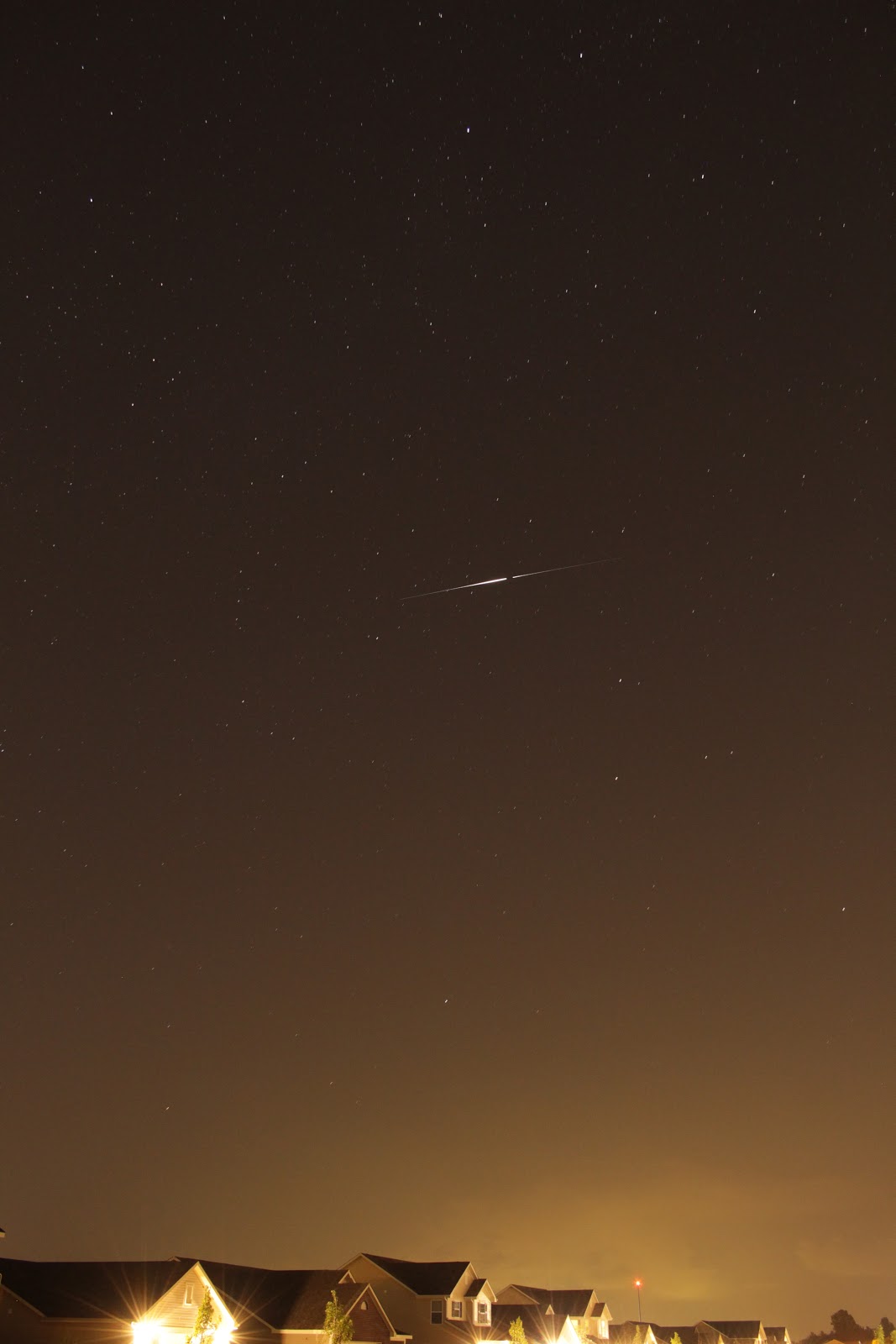
iridium flare 39
2 frames stacked, no other edits - the flare was about 30 seconds long so each of my 15 second frames caught part of it

iridium flare with star trails
StarStaX stacked star trails with Iridium 39 flare - "automatic" filter in Snapseed

iridium flare 39
2 frames with the flare by itself, also edited in Snapseed "automatic" mode

Saturday, July 26, 2014

Noblesville Star Trails and Snapseed Quick Edits

noblesville star trails
141 frames each at f/5.6, 15 sec, ISO 1600, 18mm
noblesville star trails
Edited in Snapseed, the southern sky was rather busy facing Indianapolis
snapseed star trails edits
Before and after using Snapseed app
snapseed before and after
Some minor tweaks using Snapseed
night sky in noblesville
Final product in Snapseed, Pleiades and Hyades much more visible
snapseed before and after
Before and after in Snapseed

Sunday, May 25, 2014

Meteor Hunting Consolation Prize: Beautiful Star Trails

I had two cameras out last night for what's being called the Camelopardalids, the first meteor shower produced from Comet 209P/LINEAR dust. My DSLR ended up catching a bright meteor that left a puff of smoke hanging in the air for 2 minutes. My point and shoot caught the smoke but missed the actual meteor flash.

Both cameras produced hundreds of photos of the night sky from fixed tripods - which make for excellent star trail photos once stacked using free StarStaX software.

My point and shoot produced 252 usable frames, which is typical of its battery life. I get fewer in winter when the cold drains the battery faster, but in 50°F air this was normal. My DSLR was set to JPEG instead of RAW to allow for as many photos as possible. I only ended up with 850 images over about 3 hours. I suppose I could have used RAW format for this, because it didn't come close to filling up my 64GB memory card.

I still need to learn to tether my DSLR to my laptop and buy an AC adapter for unlimited shooting! But for now, 3 hours in the can is a good chunk of time.

Ugh, I just realized as I was typing my photo specs into the pics below that I had my camera stopped down for no good reason. I could have opened it up to f/4.5 for some brighter images. Oh well! On a positive note, I didn't have to Photoshop any planes out of the images because there were only a couple and they just so happened to fly in the general direction of the star paths. Can you spot them?

DSLR star trails
Stack of 850 photos, each at ISO 800, 18mm, f/5.6, 15 sec
Canon T5i

point and shoot star trails
Stack of 252 photos, each at ISO 800, 6.2mm, f/2.7, 15 sec
Canon PowerShot A3100 IS

Saturday, April 26, 2014

Learning Depth of Field: Star Trails with a Lego Astronaut

My goal was to have my Lego astronaut standing in the foreground with swirling star trails behind him. However, with the huge distance between the Lego man and the stars, and the short distance between the Lego man and the camera, I just couldn't get both at crisp focus at the same time. In other words, I couldn't get a deep enough depth of field to have both the stars and Lego man in focus. I tried increasing the f-number (decreasing the aperture) but I still couldn't quite get it.

Lego astronaut figure
My "ideal" composition was nowhere close to getting both the stars and Lego man in focus at the same time. This shot at f/16, 25 sec, ISO 3200, 34mm
star trails with lego figure
I settled on this composition as a compromise, the Lego astronaut isn't in sharp focus, but if you know what you're looking at it's passable. This shot at f/10, 25 sec, ISO 1600, 18mm
lego moon man star trails
The final image, 186 frames stacked in StarStaX software

Friday, April 18, 2014

Testing NightCap Pro for iPhone with In-App Star Trails

iphone star trails with nightcap
Single exposure with NightCap Pro app for iPhone, stars, Jupiter, plenty of air traffic, and light pollution
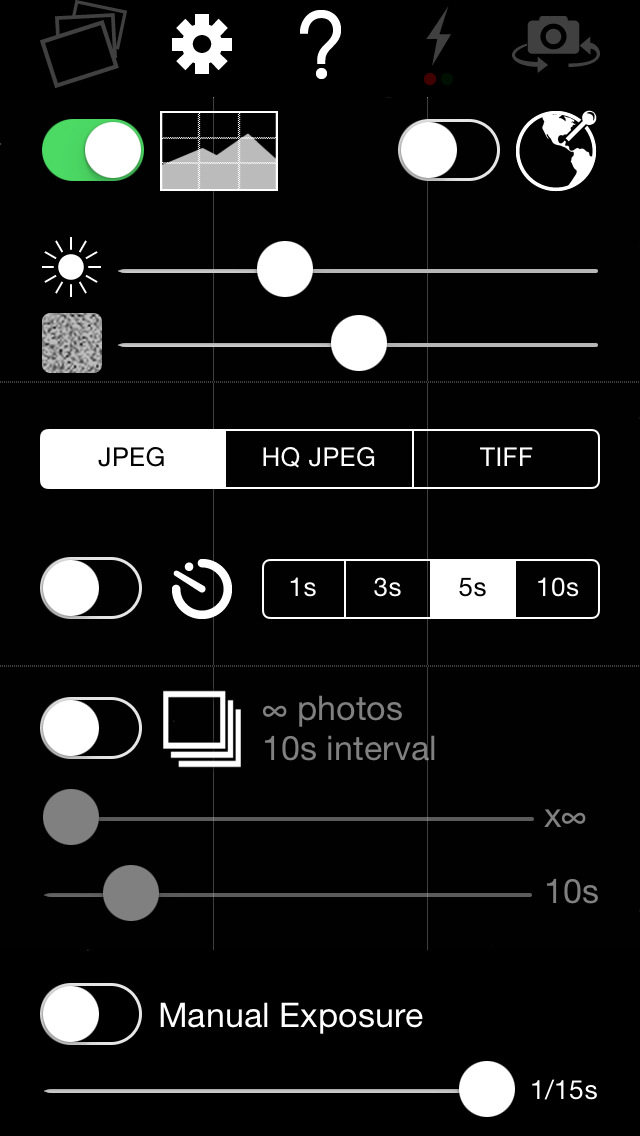
NightCap Pro, an upgrade to the popular NightCap low light iPhone camera app, was released on Thursday. This app includes several of the features that already set the original NightCap apart from other low light camera apps - such as the option to choose file formats (JPEG, HQ JPEG, and TIFF), the ability to automatically take infinite back-to-back photos of various exposure durations, and an ISO boost maxing out the iPhone at ISO 3200 (more ISO firepower than I had in my DSLR until this past Christmas).

More info and tips available at www.nightcapcamera.com or in the App Store. It's so nice to know that someone else out there is thinking about astronomy and astrophotography with an iPhone. In fact, Chris from Interealtime Software emailed me and showed me a great star trail photo he took with the NightCap Pro app.

The only down side is the lack of volume shutter release, but Chris says that feature is coming down the road. For now, a simple timer does the trick. Get a steady tripod and some dark skies, and you'll be surprised what you can make with your iPhone! Move away from the city to avoid that green glow (grrrrr), and if you take star photos with your iPhone I wanna see them! Share your blog links in the comments (no spam please).


nightcap pro featuresnightcap pro features